Put your AI agent in every chat app your users already use
Bind any FastClaw agent to Telegram, Discord, Slack, Feishu, WeCom, WeChat, WhatsApp, LINE or iMessage — with per-chat session isolation and owner pairing.
Nine IM channels, one agent
Telegram, Discord, Slack, Feishu, WeCom, WeChat, WhatsApp, LINE and iMessage. Attach as many as you like to the same agent.
QR-code connect
WeChat, Feishu, WeCom and WhatsApp connect by scanning a QR code from the console — no developer portal round-trips.
Isolated sessions
Every channel + chat ID gets its own session, so a user’s Telegram thread and Discord thread never bleed into each other.
Owner pairing
Send /pair <code> from your own account to claim the bot. Only the paired owner gets host access; everyone else is a guest.
Tokens checked before save
Telegram getMe, Discord /users/@me and Slack auth.test run before a token is stored, so a typo never ships a dead bot.
Scales past one pod
Turn on Redis and channel leases plus a shared message stream keep exactly one replica answering each bot.
How it works
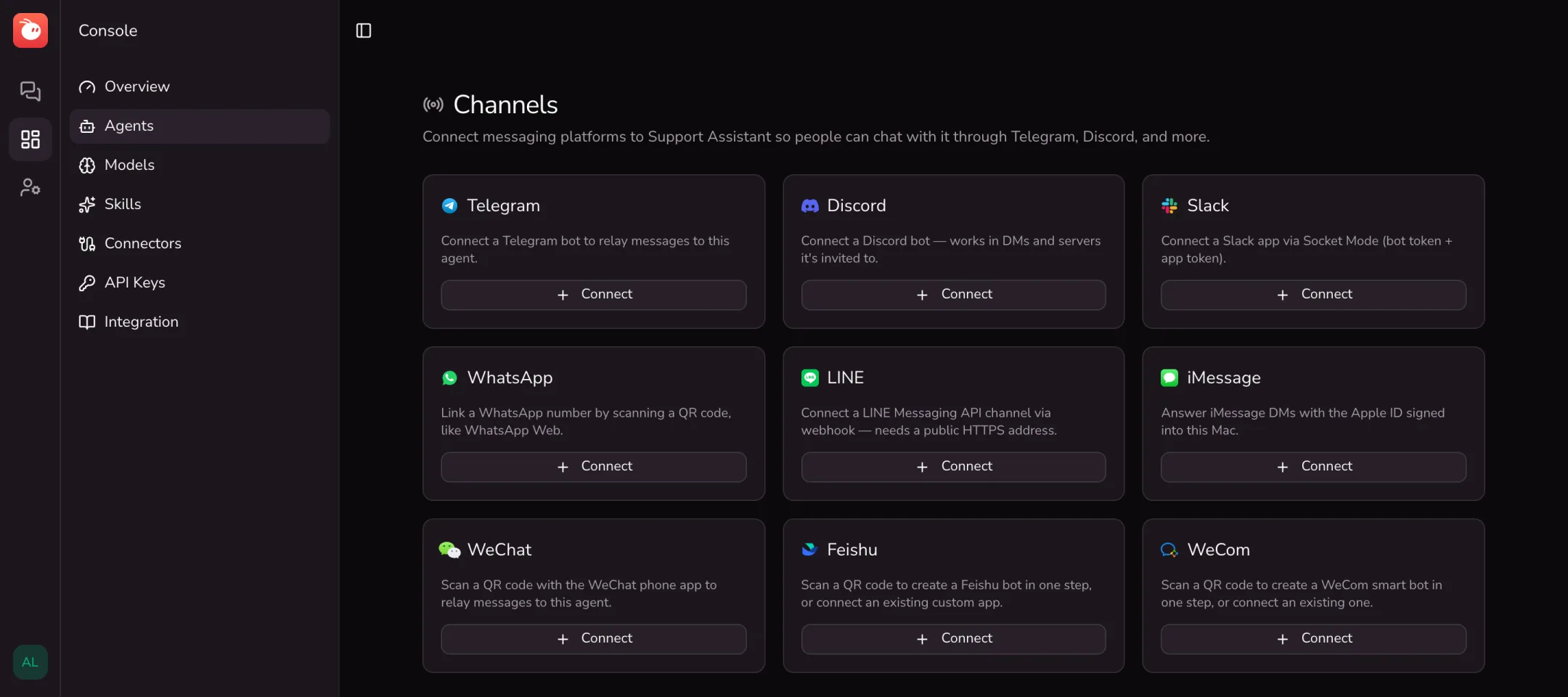
Open an agent in the console, go to Channels, and pick a platform. Token-based bots (Telegram, Discord, Slack, LINE) take a token that FastClaw validates before saving. QR-based channels (WeChat, Feishu, WeCom, WhatsApp) connect by scanning a code. iMessage answers direct messages to the Mac FastClaw runs on.
Once connected, send /pair <code> from your own account. Until a channel is paired it replies with a "not paired" notice and routes nothing to the agent.
One agent, many front doors
The agent behind a channel is the same agent you chat with on the web: same personality and memory, same skills, same model. Replies can include images and files, and long answers are split into several messages where the platform allows it.
Sessions are keyed by channel and chat, so group chats, DMs and different platforms each keep their own history. In groups, agents reply when they are mentioned.
Built for real traffic
On a single machine nothing extra is needed. When you run several replicas, set FASTCLAW_REDIS_ADDR: channel leases guarantee one replica owns each bot connection, and a Redis stream carries inbound and outbound messages between pods.
Works with
All Integrations
Telegram
Turn any FastClaw agent into a Telegram bot in minutes: paste a BotFather token, pair your account, and chat in DMs or groups.

Discord
Connect a FastClaw agent to Discord: answer DMs and @-mentions in servers, with per-channel sessions, memory and sandboxed tools.

Slack
Connect a FastClaw agent to Slack via Socket Mode — answer DMs and @-mentions in channels, no public URL required.

Feishu
Create a Feishu bot by scanning a QR code and connect it to a FastClaw agent — long-connection mode, no public URL needed.

WeCom
Connect a FastClaw agent to a WeCom (企业微信) smart bot over a long connection — create it by QR code, no public URL needed.

Bind a WeChat account to a FastClaw agent by scanning a QR code — direct messages go to the agent and replies come back in WeChat.

Link a WhatsApp number to a FastClaw agent by scanning a QR code, just like WhatsApp Web — the agent replies from that number.

LINE
Connect a FastClaw agent to the LINE Messaging API — 1:1 chats, group @-mentions, media in and out, and signed webhooks.

iMessage
Run FastClaw on a Mac and let an agent answer iMessage direct messages sent to that Mac's Apple ID.
Frequently asked questions
More Features
All FeaturesAgents
Create and run many AI agents from one FastClaw install — each with its own SOUL.md personality, memory, skills, model and sharing settings.
Models
Run FastClaw agents on OpenAI, Anthropic, DeepSeek, Ollama, OpenRouter, Groq, Mistral or any OpenAI-compatible API, with per-agent overrides and retries.
Tools & Sandbox
Built-in exec, file and web tools, run in an E2B cloud sandbox or a Docker container, with automatic skill and workspace hydration and file sync.

Try it on your own agents
Start free in FastClaw Cloud, or self-host the single binary in a minute.